

Fleet management, from checks to repairs.
Record checks, maintenance and costs for UK vehicles, with evidence kept against each record.
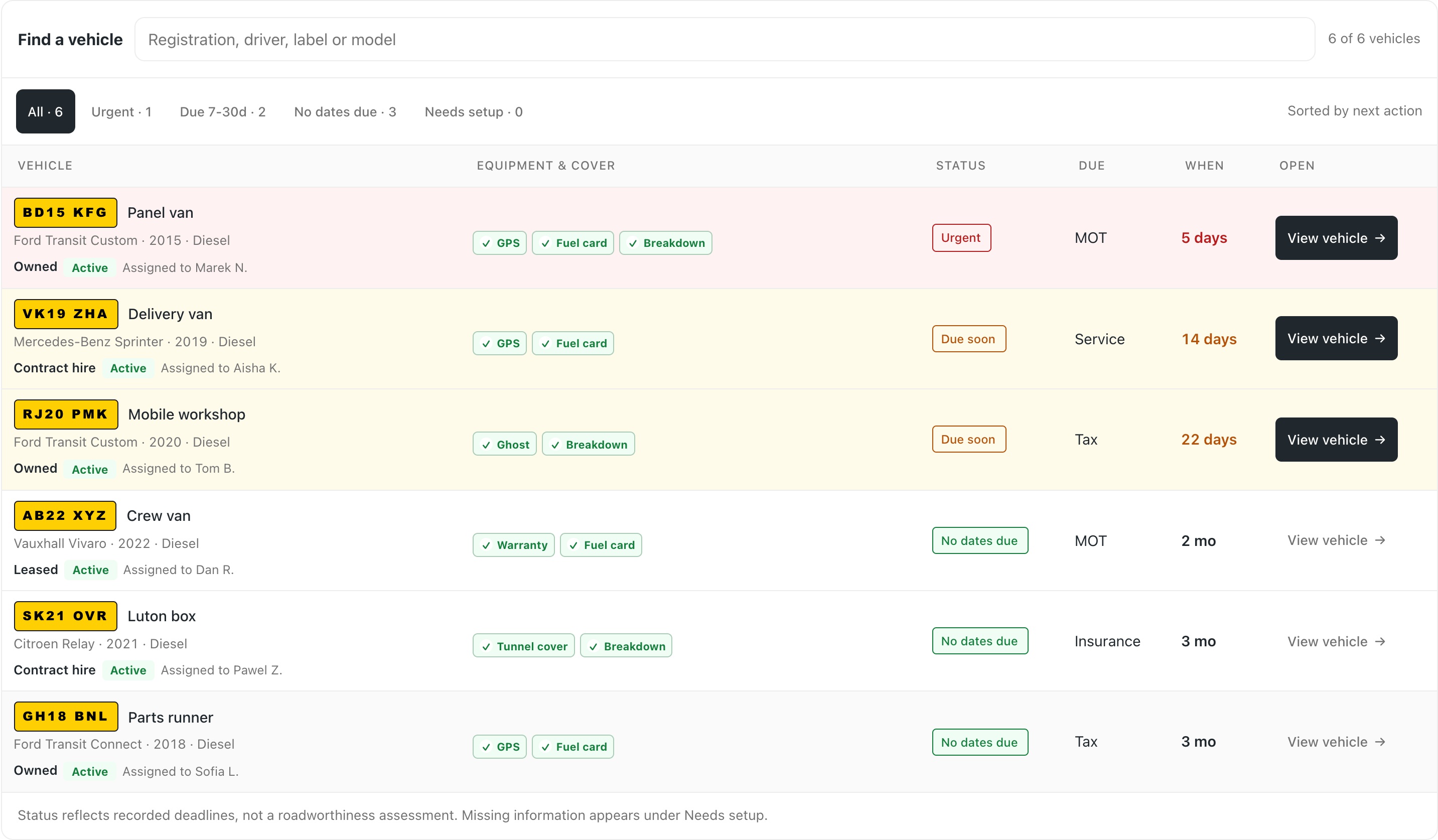
Know what is due. Record what gets done.
Bring your fleet records
Type one registration or import an Excel or CSV file. Fleetkeep auto-fills make, model, MOT and road tax dates from official DVLA and DVSA records.
Review the next job
Every vehicle lands in one traffic-light queue, sorted by what is due soonest across MOT, tax, insurance, service and mileage.
Keep the follow-up together
Record defects, maintenance and service history against the vehicle. Keep documents and recorded costs beside the work, with reminders for the next due date.
Record defects and repair follow-ups.
A vehicle check is the start of the job. Record the defect, attach private photo or video evidence, and keep the maintenance follow-up against the same vehicle. Completed work stays in its history.
- Daily walkarounds and defect reports
- Date and mileage-based maintenance reminders
- Service history, recorded costs and supporting documents
See the inspection workflow or explore maintenance reminders.
Check vehicle equipment and account cover.
Keep GPS trackers, fuel cards, breakdown cover, warranties and ownership or hire details with the vehicle. Record start and end dates, retain previous equipment, and set reminders for the dates you need to review.
Insurance certificates, service invoices and vehicle files stay private unless you choose to make an eligible document visible to drivers.
See vehicle document managementRequest and review service evidence.
Request service evidence, collect invoices and photos, and review replies across the portfolio. Accepted dated evidence becomes part of the same vehicle’s service history. Available through a scoped pilot, with manufacturer data agreed separately.
Explore service-evidence workflows →- 01See due workAcross the portfolio
- 02Request proofWith customer contact recorded
- 03Review the replyEvidence stays with the vehicle
- 04Record the decisionA clear audit trail
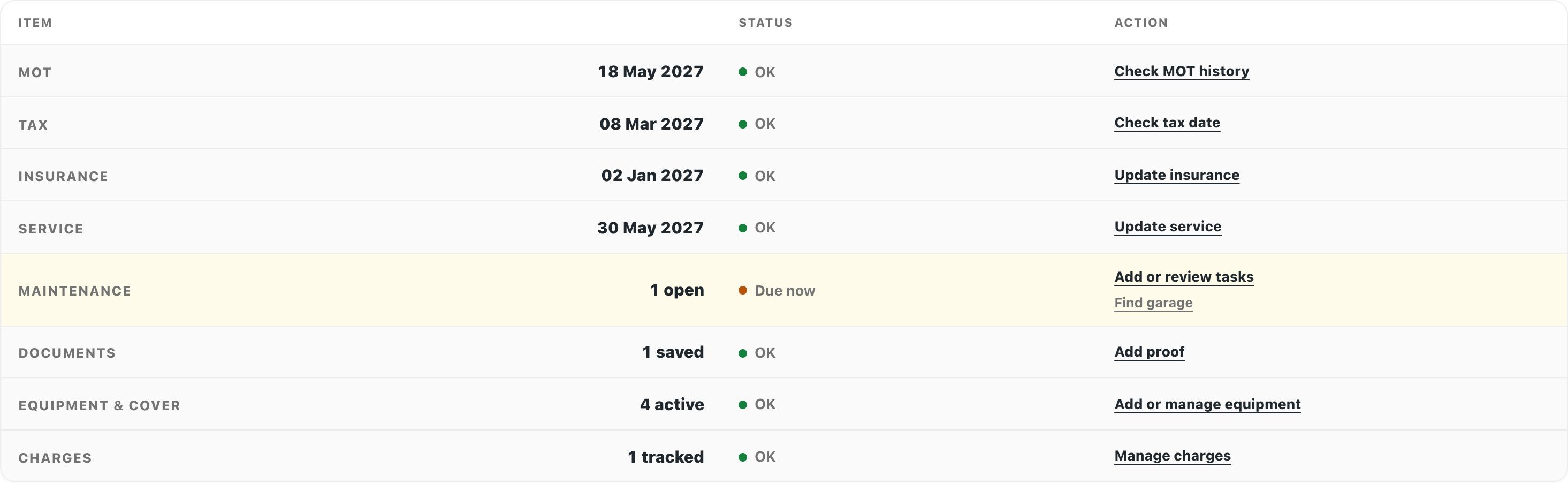
Vehicle dates, history and documents.
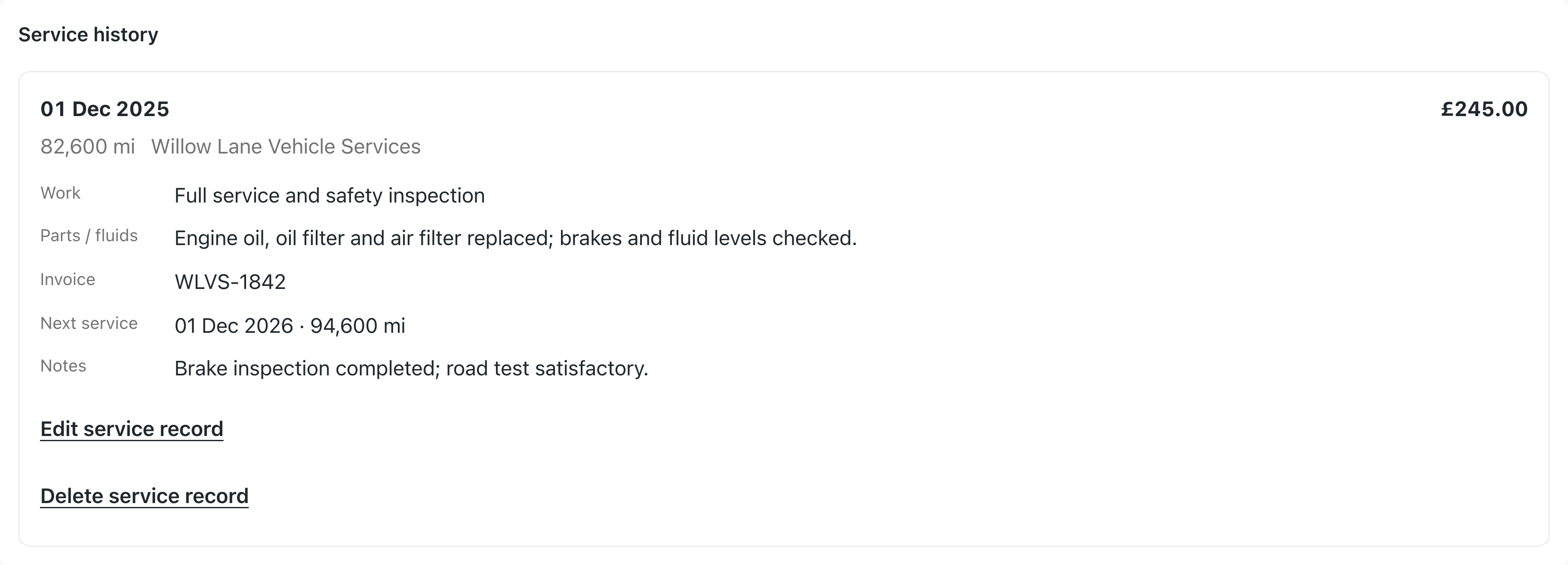
Keep dates, documents and service history with the vehicle. Record completed work, supporting invoices and condition checks without losing earlier records.
- Private documents and renewal references beside the vehicle
- Defect reports with photo and video evidence
- Handover, return and condition checks for hire and pool vehicles
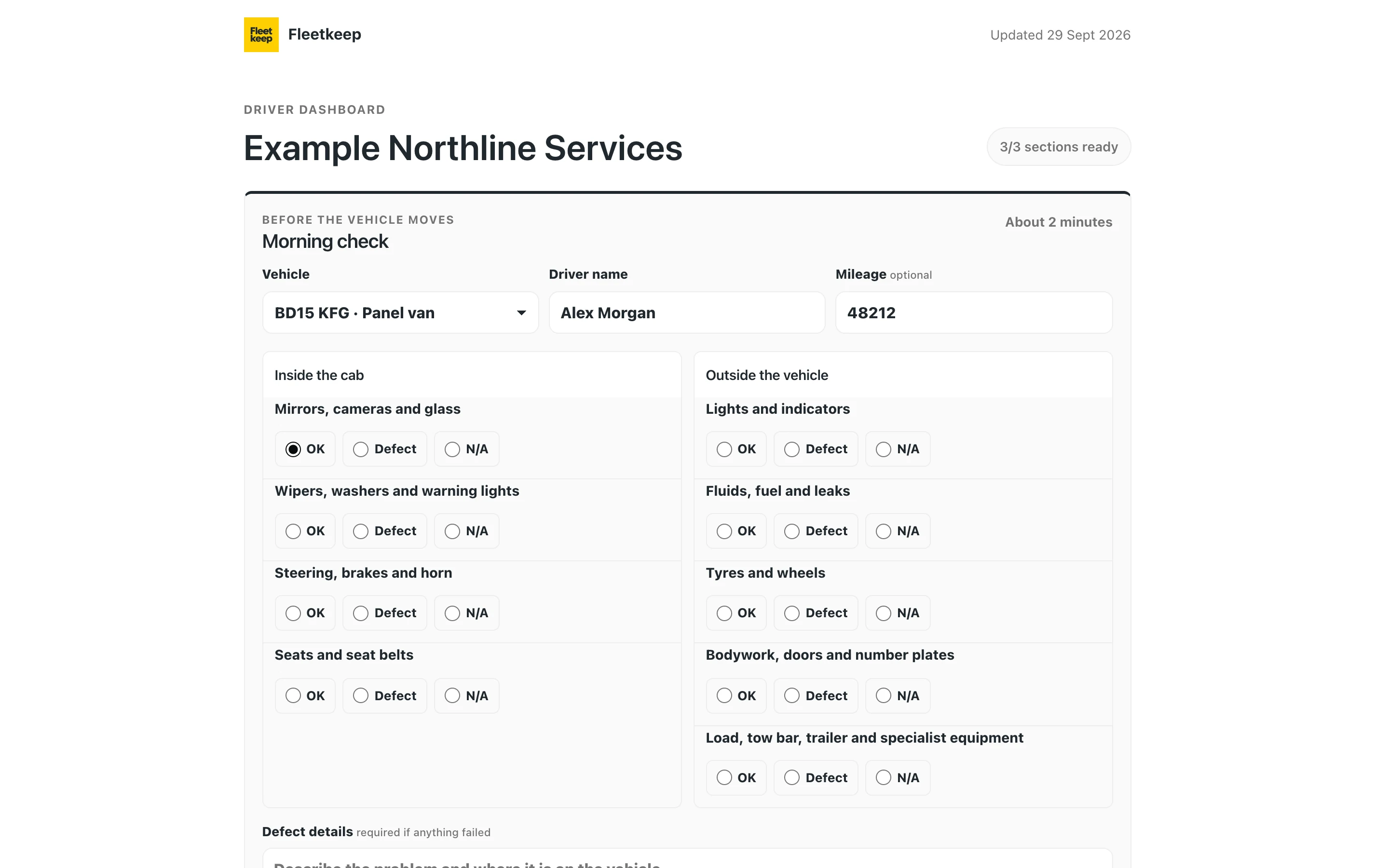
Driver checks and guidance.
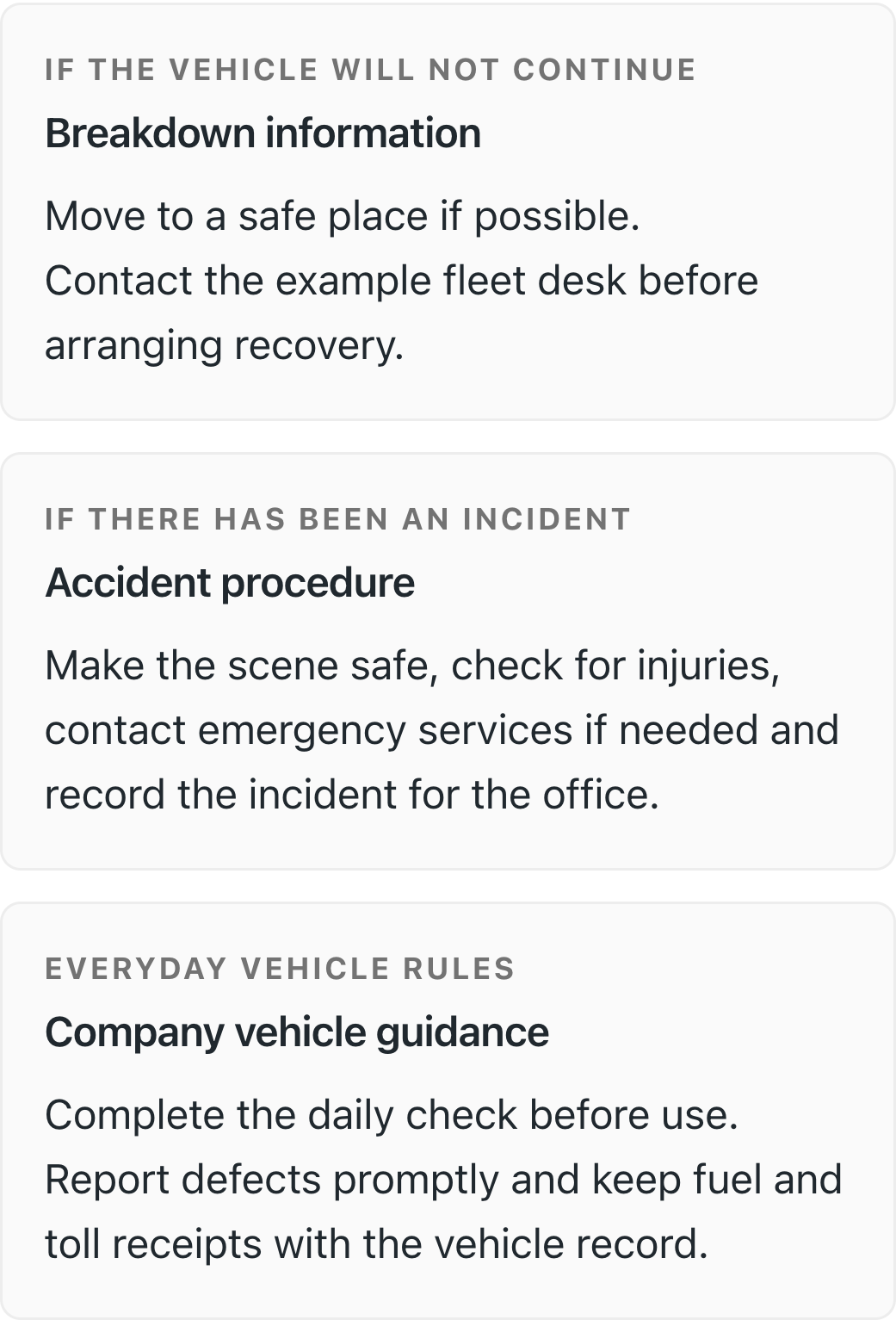
Give drivers one link for vehicle checks, company guidance and approved documents. You choose which files they can see.
- Morning checks with defects reported to the office
- Breakdown and accident procedures always to hand
- Approved vehicle documents shared, the rest stay private
Track toll, ULEZ and clean-air spend.
Upload a PDF invoice, check its charges and save them against the right vehicles.
- Review PDF charges before saving
- PDF invoices and CSV statements matched to registrations
- Account cover, review dates and charges in one view

See what you have spent on each vehicle.
Review fuel, repairs, insurance, servicing and toll charges by vehicle and date range. Keep invoice references and service details beside the cost.
- Recorded costs in total and by year, with missing service costs flagged
- Review CSV statements and eligible Xero bills before saving
- Service records with date, mileage, workshop and invoice reference
Totals reflect recorded costs, not an estimate of missing spend.
Import your fleet spreadsheet.
Upload an Excel or CSV file. Fleetkeep recognises common registration, insurance, service, tracker, Ghost, fuel-card and toll headings, then shows a preview before adding anything.
- Only the registration column is required
- Review detected vehicles and correct bad registrations first
- Existing vehicle dates are not overwritten
Connect the CLI and ChatGPT.
Install the first-party @fleetkeep/cli package to list, add and update vehicles,
or preview a CSV or XLSX fleet file before applying it to your Fleetkeep account.
npm install -g @fleetkeep/cli
fleetkeep auth login
fleetkeep import preview vehicles.xlsx
The published ChatGPT plugin is read-only. Spreadsheet imports and record changes are available through the CLI; expanded ChatGPT tools are not published yet. See the ChatGPT guide.
Read the CLI guideConnect your existing vehicle trackers.
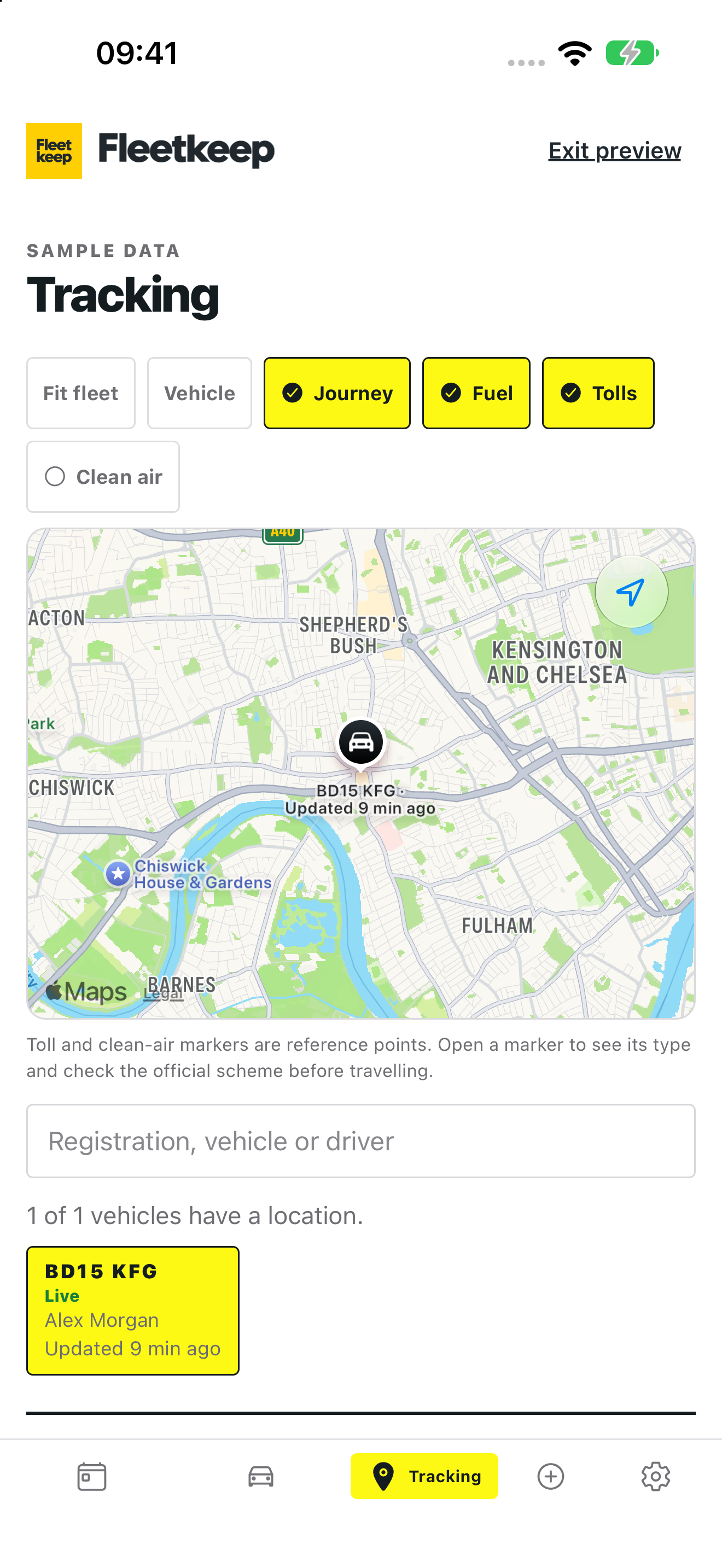
Connect an authorised Wex Telematics, Wialon Hosting or Samsara account. Fleetkeep shows the latest vehicle location, when the provider last reported, and whether the connection is live, delayed or offline.
- One fleet map on the web and in the Fleetkeep mobile app
- Wex route history, fuel entries, estimated UK MPG and diagnostic codes
- Latest location and connection health from Wialon and Samsara
- Toll, clean-air-zone and EV charging reference layers
Provider access is read-only. Fleetkeep does not control the vehicle or replace the tracking hardware and contract you already use.
Email reminders before due dates.
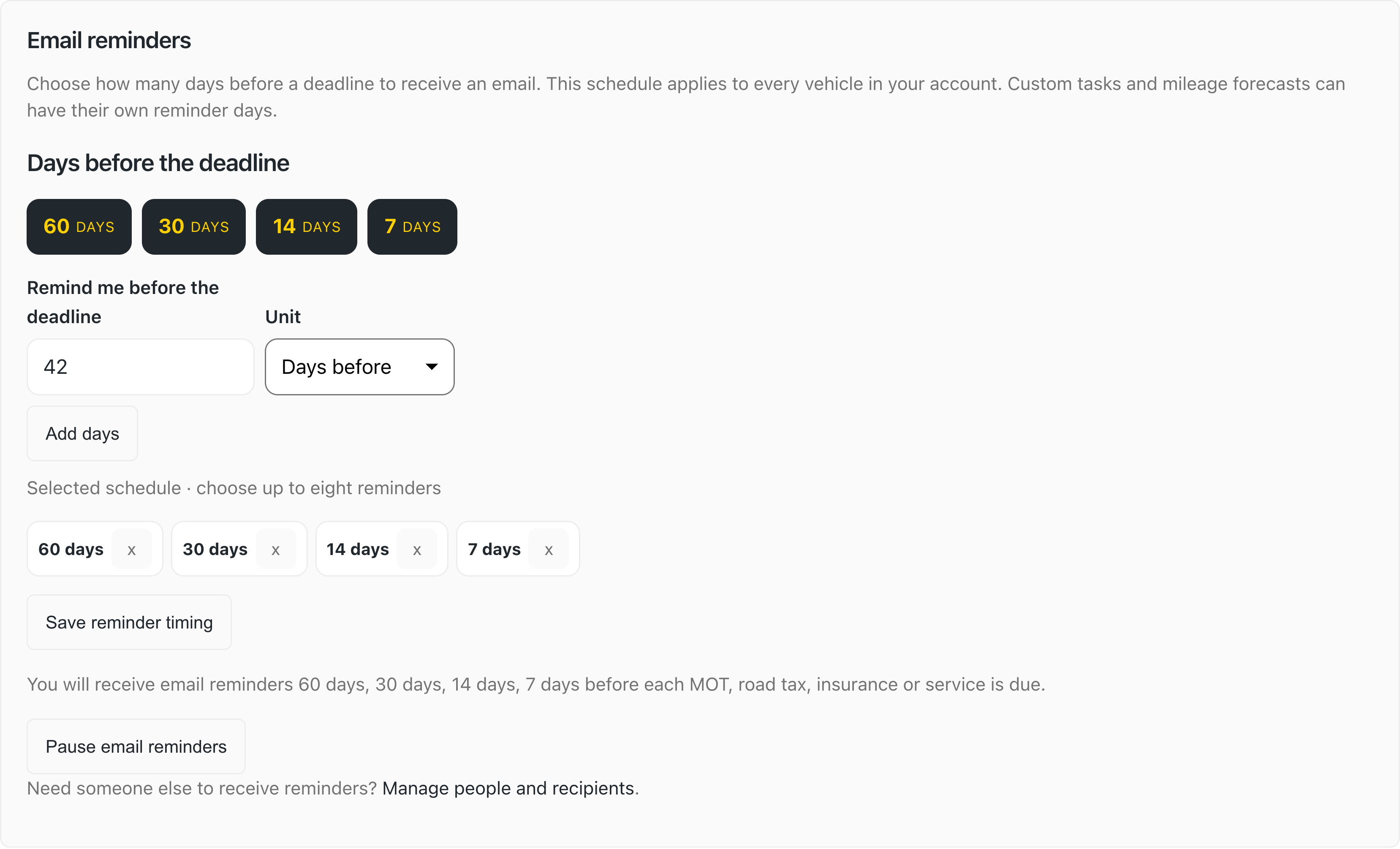
Get an email before MOT, tax, insurance and service dates fall due. Use the default 60, 30, 14 and 7 day schedule, or choose reminder days for your account.
- Default or custom reminder days for every vehicle in your account
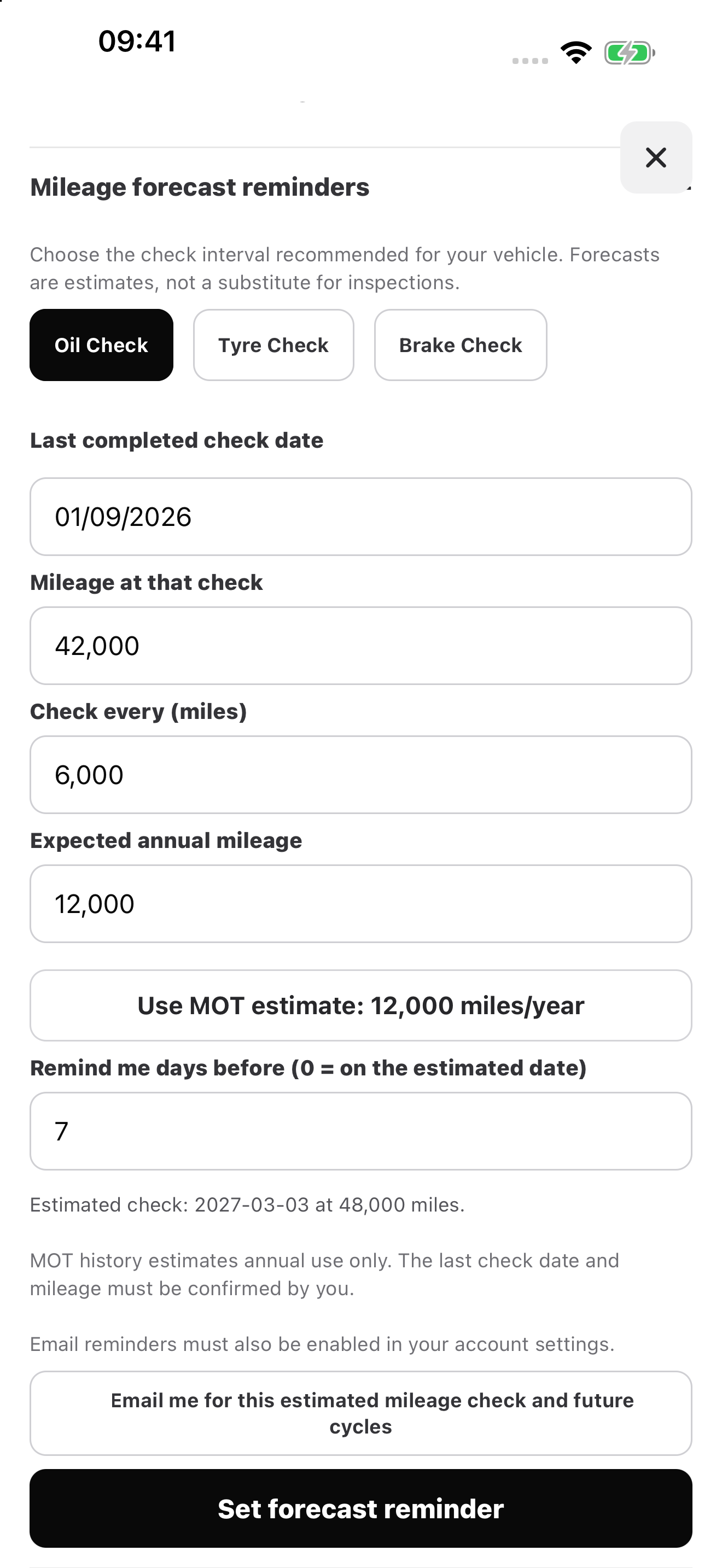
- Separate reminder days for custom tasks and mileage forecasts
- Transactional only, no marketing without your opt-in
- Optional verified reminder recipients for an office manager or partner
Vehicle checks and fleet records on your phone.
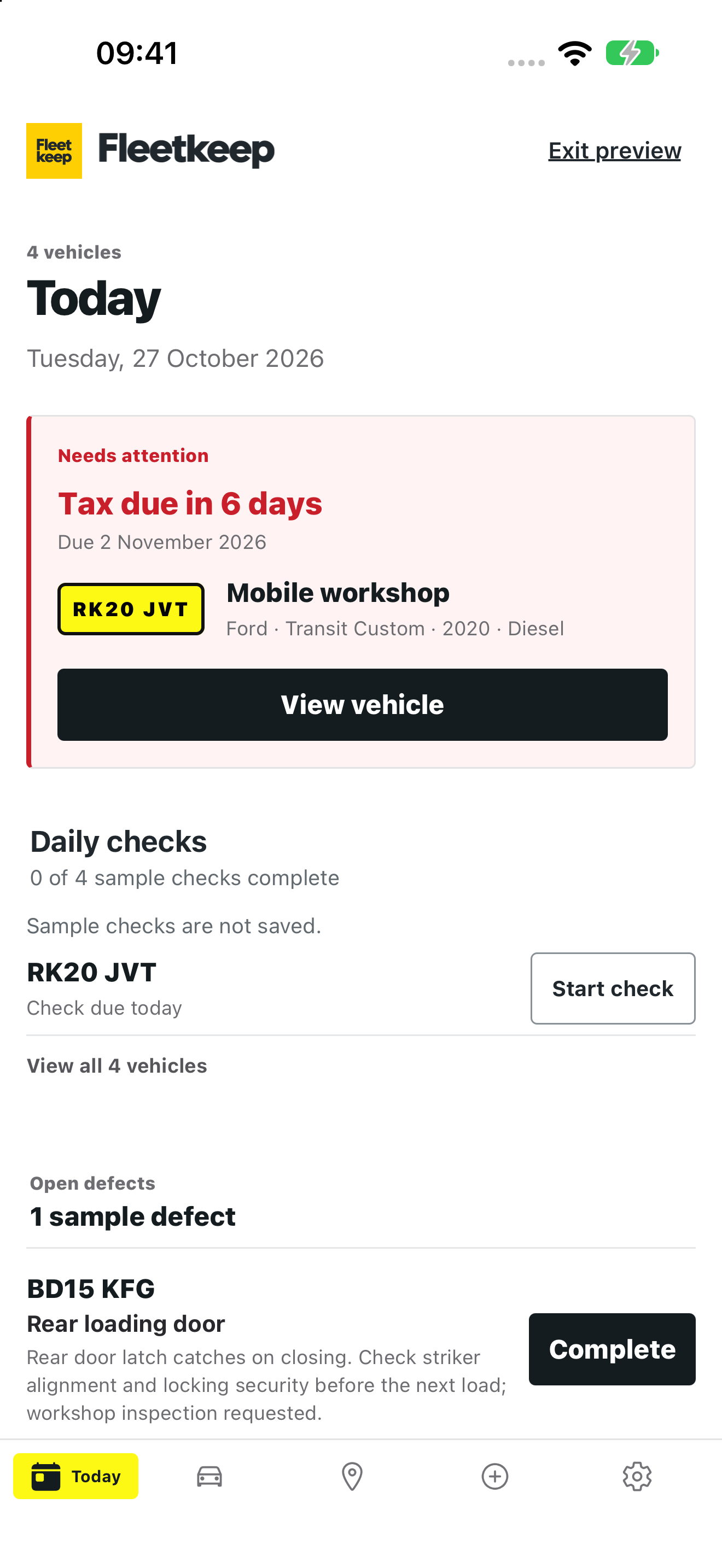
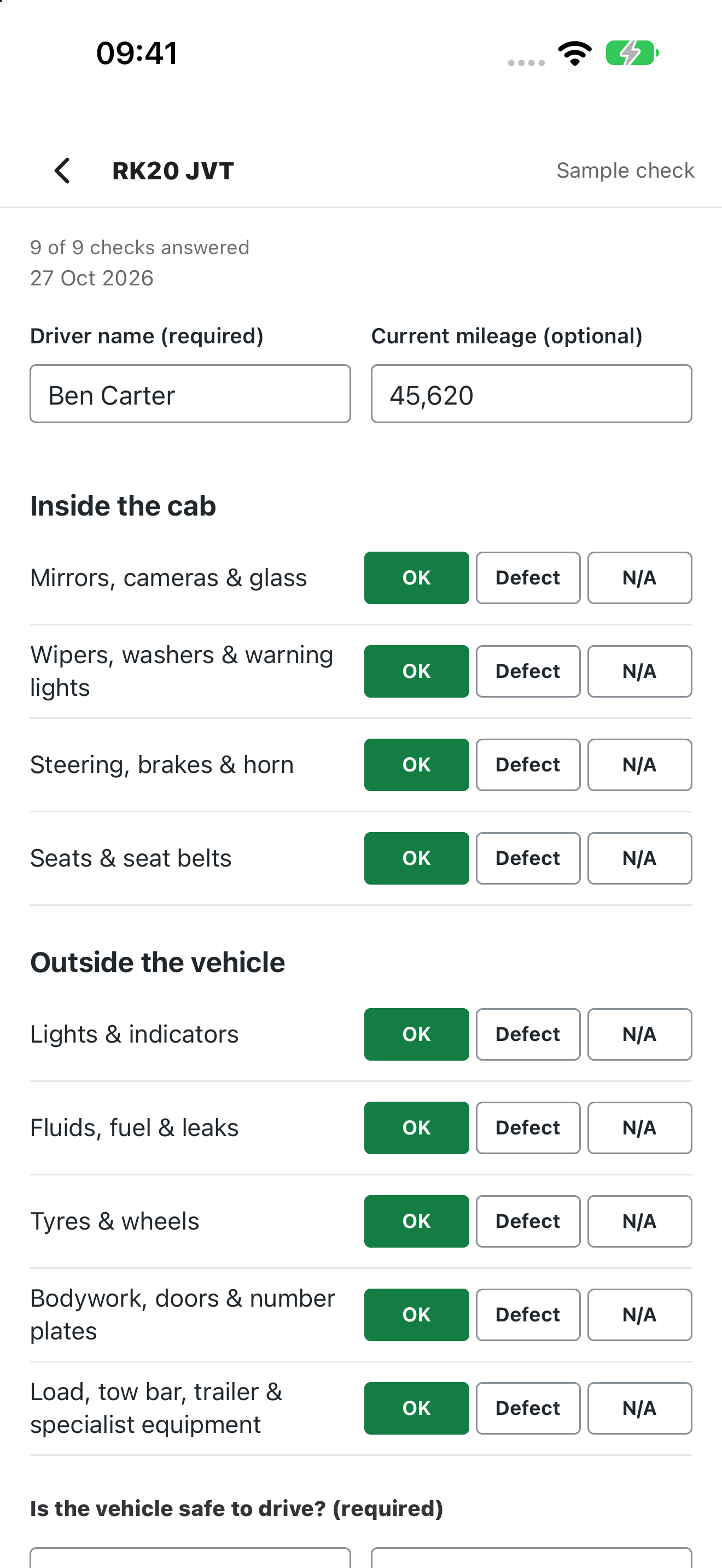
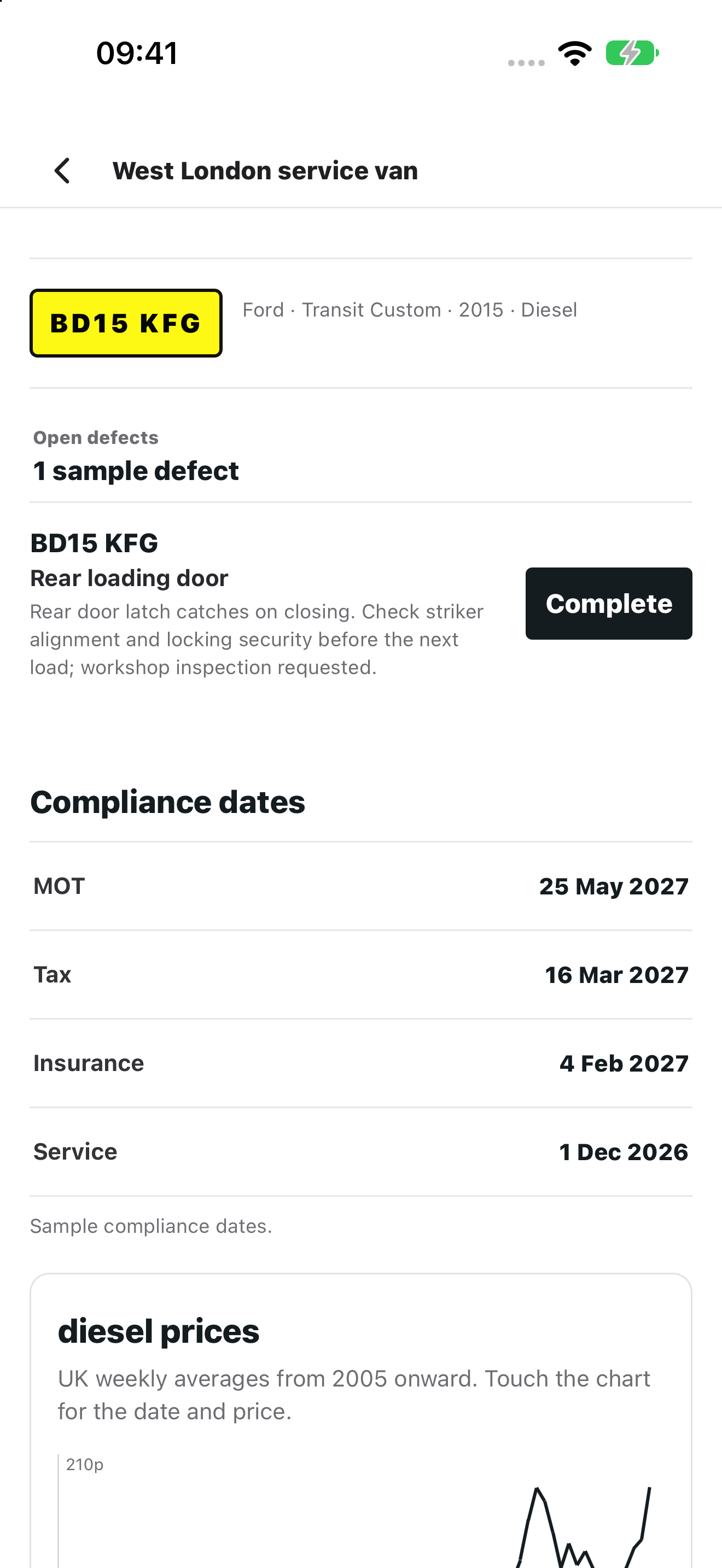
Drivers can complete walkarounds and record defects while fleet managers review vehicle dates, open work and connected locations from the same Fleetkeep account.
Screens show the iPhone version with example data. The iPhone app is on the App Store and Android is on Google Play. Tracking requires a supported provider connection.


Use the same Fleetkeep account on your phone.

Uses official UK data.
Retrieve official MOT and vehicle data from a registration. Add the dates only you know, such as insurance and servicing.
Simple pricing, sized by fleet.
Start with a 30-day trial, no card needed. Business starts at £12/month or £119.99/year for up to three vehicles. Choose a fixed plan up to 50 vehicles, then add each extra vehicle for £2/month or £20/year, up to 500. Larger fleets are quoted.
Household costs £1.99/month or £19.99/year for up to three personal vehicles. Household Plus covers five for £2.99/month or £29.99/year. See your price and billing interval before confirming.
See it on your own fleet.
Add your first vehicle in the 30-day trial and see the official MOT and tax dates in your dashboard.